A budgeting app only works if you open it. That sounds obvious, but it is the reason most people quit: they pick the app with the longest feature list, set it up on a Sunday, and never touch it again. The best free budgeting app for a beginner is not the most powerful one. It is the one that matches how you already think about money — and that you can set up in under half an hour.
This guide compares the free budgeting apps that are actually usable in 2026, explains what each one does differently, and helps you pick one in about five minutes. Prices were checked in November 2026 and they do change, so confirm the price on the app's own site before you pay for anything. One important update first: Mint, the free app many older guides still recommend, shut down in March 2024. If a guide tells you to download Mint, that guide is out of date.
A quick note on how "free" works here. Most of these apps have a genuinely free version and a paid version with extra features — usually automatic bank sync. The free versions below are real budgets, not short trials, unless we say otherwise. We have marked where the free version stops and the paid version starts, because that is usually the thing that decides whether an app suits you.
At a glance: the free budgeting apps compared
| App | Free version | Bank sync on free? | Best for | Paid version |
|---|---|---|---|---|
| EveryDollar | Yes, no time limit | No | Simple zero-based budgeting | Premium $79.99/year or $17.99/month |
| Goodbudget | Yes, 20 envelopes | No | Digital envelope budgeting | Plus $80/year or $10/month |
| Honeydue | Yes, free | Yes | Couples budgeting together | Free; optional tips $0.99–$9.99/month |
| PocketGuard | Yes, limited | No | One "safe to spend" number | Plus $74.99/year or $12.99/month |
| Empower Personal Dashboard | Yes, free | Yes | Tracking net worth in one place | Free |
| Rocket Money | Yes, basic features | Yes | Finding forgotten subscriptions | Premium roughly $6–$14/month |
| YNAB | No — 34-day trial only | Yes, on paid plan | Serious habit change | $109/year or $14.99/month |
1. EveryDollar — best free starting point
EveryDollar is Ramsey Solutions' zero-based budgeting app, and its free version is the simplest on-ramp in this list. You plan where every dollar of income goes before the month starts, then log spending as it happens. The free plan has no time limit and no cap on budget categories, and it works on the web, iPhone and Android.
The trade-off is manual entry: on the free plan you type in every transaction yourself. Bank connection, paycheck planning, spending reports and live group coaching are Premium features, at $79.99 a year or $17.99 a month, with a 14-day free trial. Pay annually if you ever upgrade — twelve months at the monthly rate costs $215.88, which is $135.89 more than the annual plan for identical features.
Manual entry sounds like a drawback, but for a beginner it can be the feature that makes budgeting stick. Typing in a $14 lunch forces you to notice it in a way that an automatic import never does. If you try EveryDollar free for a full month and the typing is what makes you quit, that is the moment Premium becomes worth considering — not before.
Pick EveryDollar if: you want the simplest possible zero-based budget, you are happy entering transactions by hand, and you want a free plan that never expires.
2. Goodbudget — best digital envelope system
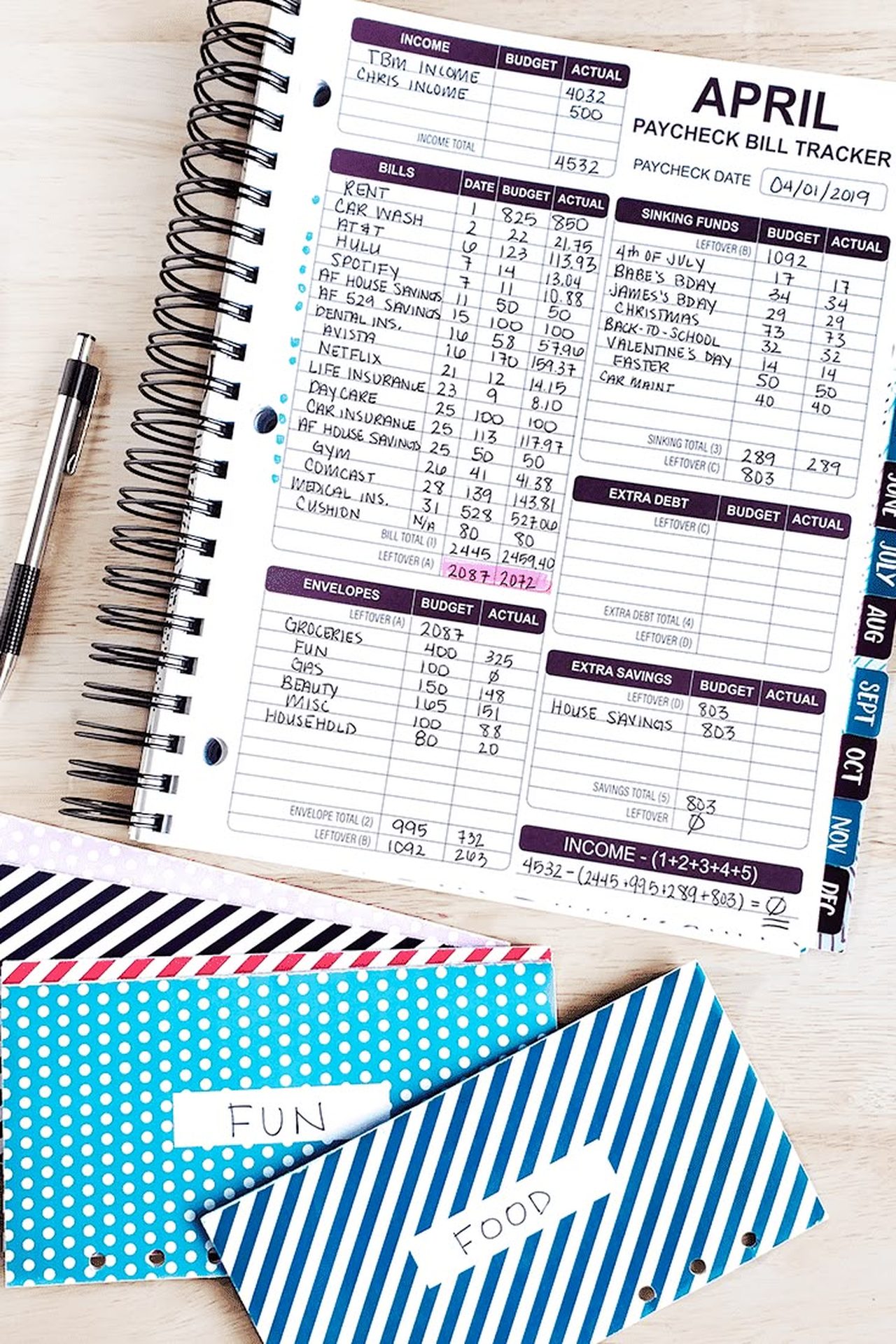
Goodbudget turns the old cash-envelope system into an app. You create envelopes for rent, groceries, fun money and so on, fill them at the start of the month, and spend from the envelope rather than from your bank balance. When an envelope is empty, spending in that category stops until next month. It is a hard boundary, and for many people that boundary is exactly what works.
The free plan covers 20 envelopes, one account, two devices and a year of history. There is no bank connection at all on the free plan — you enter everything by hand, and your financial data never leaves your hands. Plus costs $10 a month or $80 a year and adds unlimited envelopes and accounts, five devices, seven years of history and automatic bank sync for US banks.
Goodbudget is also a strong couples option: the envelopes sync across both partners' phones, so both people see the same grocery envelope shrink in real time.
Pick Goodbudget if: you like firm spending limits, you do not want to link your bank account, or you budget as a household and want everyone looking at the same envelopes.
3. Honeydue — best free app for couples
Honeydue is the only app on this list built for couples from the start, and its core features are free. Each partner chooses which accounts to share, so a joint account can be fully visible while a personal account stays private. Shared bills get reminders, both partners can comment on a transaction inside the app, and spending is visible to both people without a weekly money meeting.
Unlike most free plans, Honeydue includes bank sync in the free version. The app is funded by optional monthly tips ($0.99 to $9.99) and advertising rather than a subscription. It runs on iPhone and Android only — there is no web version — and it does not track investments or build long-range plans. For a couple's day-to-day budget, that is usually enough.
Pick Honeydue if: you budget with a partner, you want bank sync without paying, and you are comfortable doing everything on your phones.
4. PocketGuard — best "can I afford this?" app
PocketGuard answers one question first: after bills, goals and essentials, how much is safe to spend right now? That single leftover number updates as transactions clear, and a Pace feature shows whether your spending is on track for the rest of the month. It also detects bills and subscriptions automatically, which helps you spot charges you forgot about.
The free tier gives you a basic snapshot with manual entry. Plus, at $12.99 a month or $74.99 a year (a $149 lifetime option also exists), adds bank sync, unlimited budgets, custom categories and a debt payoff planner. PocketGuard connects to banks in the US, Canada and the UK.
If other apps feel like homework, PocketGuard is the one to try. It suits people who do not want to manage categories and just want a trustworthy daily number before they spend.
Pick PocketGuard if: you want one simple number each morning, you hate fiddling with categories, and you mostly need to know what is safe to spend.
5. Empower Personal Dashboard — best free net-worth tracker
Empower (formerly Personal Capital) is free, and it is best understood as a dashboard rather than a budget. It pulls your accounts together, shows your net worth, tracks spending by category and gives you a retirement planner. There is no subscription for the dashboard itself.
It is the weakest pure budgeting tool on this list — its budgeting features are lighter than EveryDollar or Goodbudget — but it is the best free way to see everything you own and owe in one place. It suits beginners who already have a simple budget somewhere else and want the big picture, or people whose main question is "where do I actually stand?" rather than "what can I spend this week?"
Pick Empower if: you want a free overview of your accounts and net worth, and you are happy doing the detailed budgeting elsewhere.
6. Rocket Money — best for finding forgotten subscriptions
Rocket Money is a free budgeting app with a specific talent: it finds your recurring subscriptions and makes them easy to cancel. Its basic budgeting features are free, bank sync is included, and Premium — which adds features like bill negotiation and a subscription concierge — is pay-what-you-want, roughly $6 to $14 a month.
Rocket Money is a good second app rather than a first: use it for a month to find the subscriptions quietly draining your account, cancel what you do not use, and then run your actual budget in one of the apps above. Many people find $20 to $50 a month in subscriptions they had forgotten about, which is a better return than any budgeting feature.
Pick Rocket Money if: you suspect forgotten subscriptions are eating your budget, or you want bank sync in a free app with light budgeting built in.
7. YNAB — the paid benchmark, worth knowing about
YNAB (You Need A Budget) is not free, and it does not belong on a free list as a recommendation — but it is the app most paid budgeting guides compare everything else against, so it is worth understanding. It costs $14.99 a month or $109 a year, with a 34-day free trial and no permanent free tier. Full-time students can get it free for 12 months through YNAB's college program, and one subscription can be shared with up to six people.
YNAB is built around zero-based budgeting with a specific method: give every dollar a job before you spend it, embrace your true expenses, roll with the punches and age your money. It includes bank sync, savings targets, a loan planner and spending reports. People who stick with it tend to love it — and the 34-day trial is long enough to cover a full pay cycle, so you can test it properly before paying.
Our honest take: do not pay for YNAB until a free app has failed you for a specific reason. If EveryDollar's free plan feels too basic after two months, or you want the structure and teaching that YNAB is known for, the trial is there. Starting with a paid app before you know whether you will budget at all is how budgeting apps end up as another unused subscription.
How to choose in five minutes
Answer these five questions and the answer mostly picks itself:
1. Are you budgeting alone or with a partner? Couples: Honeydue (free) or Goodbudget (shared envelopes). Solo: any of the rest.
2. Will you link your bank account? If no, Goodbudget or EveryDollar free — both work entirely by hand. If yes, Honeydue, Rocket Money or Empower give you sync without paying.
3. Do you want firm limits or a gentle overview? Firm limits: Goodbudget envelopes or EveryDollar zero-based. Gentle overview: PocketGuard's safe-to-spend number or Empower's dashboard.
4. Do subscriptions keep surprising you? Start with Rocket Money for a month, whatever else you choose.
5. How much time will you give it each week? Be honest. Fifteen minutes a week suits EveryDollar or Goodbudget. Five minutes suits PocketGuard. Zero minutes suits nothing — no app budgets for you.
If you are still torn, start with EveryDollar. Its free plan is unlimited, it takes about ten minutes to set up, and if it is not right you will know within two weeks — and you will know exactly what you want instead.
Setting up your first budget in any app
Whichever app you pick, the setup is the same. Give yourself 30 minutes and a recent bank statement.
Step 1: list your income. Write down what actually lands in your account each month, after tax. If your income varies, use your lowest recent month as the starting point — you can always add more later.
Step 2: list your fixed costs. Rent, utilities, phone, transport, insurance, minimum loan payments, subscriptions you are keeping. These are the numbers that barely change month to month.
Step 3: give the rest a job. Whatever is left after fixed costs gets split between groceries, fun, personal items and savings. This is the zero-based idea: income minus planned spending equals zero, because every dollar has a destination — including savings.
Step 4: log spending for one week. Not a month — a week. Log everything, even the coffee. Most people discover one category that is twice what they guessed, and that discovery is worth more than any app feature.
Step 5: adjust once, then leave it alone. After your first week, move money between categories to match reality, then stop tinkering. A budget you adjust every day is a budget you will abandon. Review it once a week, for ten minutes, at the same time each week.
What to watch out for
Free trials that convert silently. YNAB's 34-day trial and EveryDollar Premium's 14-day trial both end in a charge if you do nothing. Set a calendar reminder for the day before any trial ends, and decide before that date.
Bank sync is convenient, not essential. Linking your bank saves typing, but it also means a third party reads your transactions. Every app on this list uses read-only connections — the app can see transactions but cannot move money — and bank-level encryption. If that still bothers you, Goodbudget and EveryDollar free work entirely without a link. That is a valid choice, not a compromise.
An app cannot fix a budget that does not add up. If your fixed costs are higher than your income, no app solves that — it only shows you the gap clearly. That clarity is still useful: it tells you whether the problem is spending you can trim or income you need to grow. Our guide to budgeting on minimum wage walks through a system built for exactly that situation, and our 50/30/20 budget explainer shows how one common method splits income between needs, wants and savings.
Prices change. Every price in this guide was checked in November 2026 from the app's own site or recent independent reviews. Budgeting apps raise prices regularly — YNAB has done it more than once — so confirm the checkout price before you subscribe, and prefer annual billing over monthly when you do pay: it is almost always much cheaper for the same features.
The bottom line
There is no single best free budgeting app — there is a best one for how you think. Want the simplest free budget that never expires? EveryDollar. Want firm limits you cannot ignore? Goodbudget. Budgeting with a partner? Honeydue. Want one number that tells you what is safe to spend? PocketGuard. Want the big picture for free? Empower. Hunting forgotten subscriptions? Rocket Money. And if a free app fails you for a clear reason, YNAB's 34-day trial is the paid option worth testing.
Pick one today, set it up in 30 minutes, and log your spending for a week. The app matters far less than the habit — and the habit starts with the first entry, not the perfect app.